
Audit Overview
Your store's untapped revenue potential — and how to unlock it
Why We Created This Audit
We analyzed https://aftermarketus.com the same way we've audited 350+ e-commerce stores — looking for the specific gaps between your current experience and what top-performing Automotive Aftermarket Parts stores deliver. Every finding in this report is a revenue opportunity backed by industry data and competitive benchmarks.
What We Analyzed
- UX & Conversion Design10 findings
- Performance & Speedvs 3 competitors
- Technology & App StackPlatform + 9 apps
- Industry BenchmarksAutomotive Aftermarket Parts
Pages Analyzed
- Homepage1 findings
- Collection Pages2 findings
- Product Pages (PDP)4 findings
- Cart & Checkout3 findings
 This audit was prepared by Growisto — a CRO-led Website development team behind 167% conversion growth for Atomberg, 46% CR lift for TyresNmore, and 350+ e-commerce projects.
UX & Conversion Findings
Page-by-page analysis with visual comparisons against top Automotive Aftermarket Parts stores
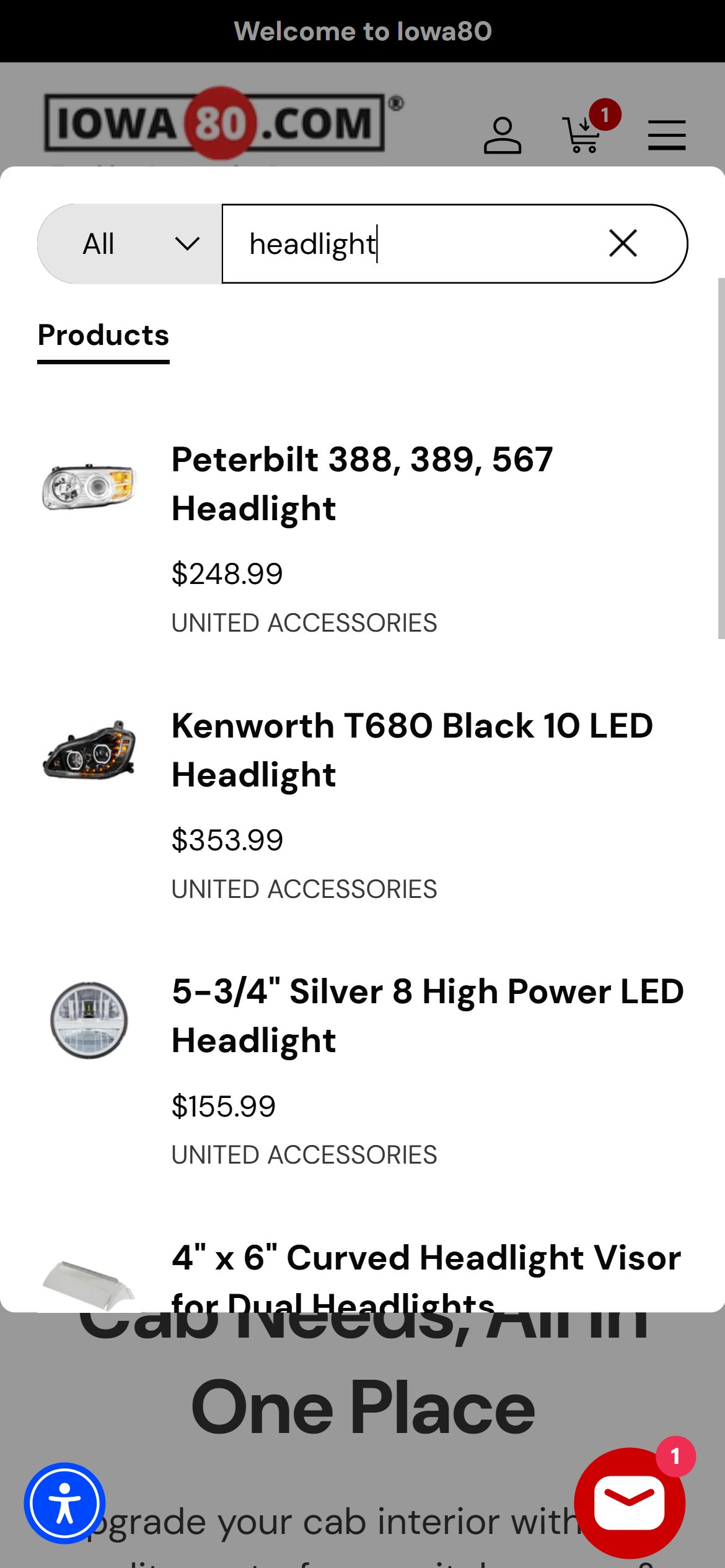
- Typing into the search bar produces no dropdown — users must press Enter to see any results, adding an extra interaction step for every search.
- For automotive parts, predictive search is critical: a user searching '2019 Silverado air spring' needs to see part numbers and fitment suggestions before committing a search.
- The current search icon-only header requires 2 taps (icon then text field) before a user can even begin typing, adding further friction.
- 7/10 leading stores in the category provide real-time search suggestions including product names, part numbers, and category matches.
- Upgrade the XCloud Search & Filter app (already installed) to enable predictive autocomplete showing product names, part numbers, and categories as the user types — configure 3-character trigger threshold.
- Add vehicle fitment to search suggestions: when a user has selected their vehicle in the garage/fitment widget, prioritize compatible parts in search results and label them 'Fits Your Truck'.
- Ensure mobile search opens inline (not a redirect) with the keyboard auto-focused so users start typing immediately on one tap.
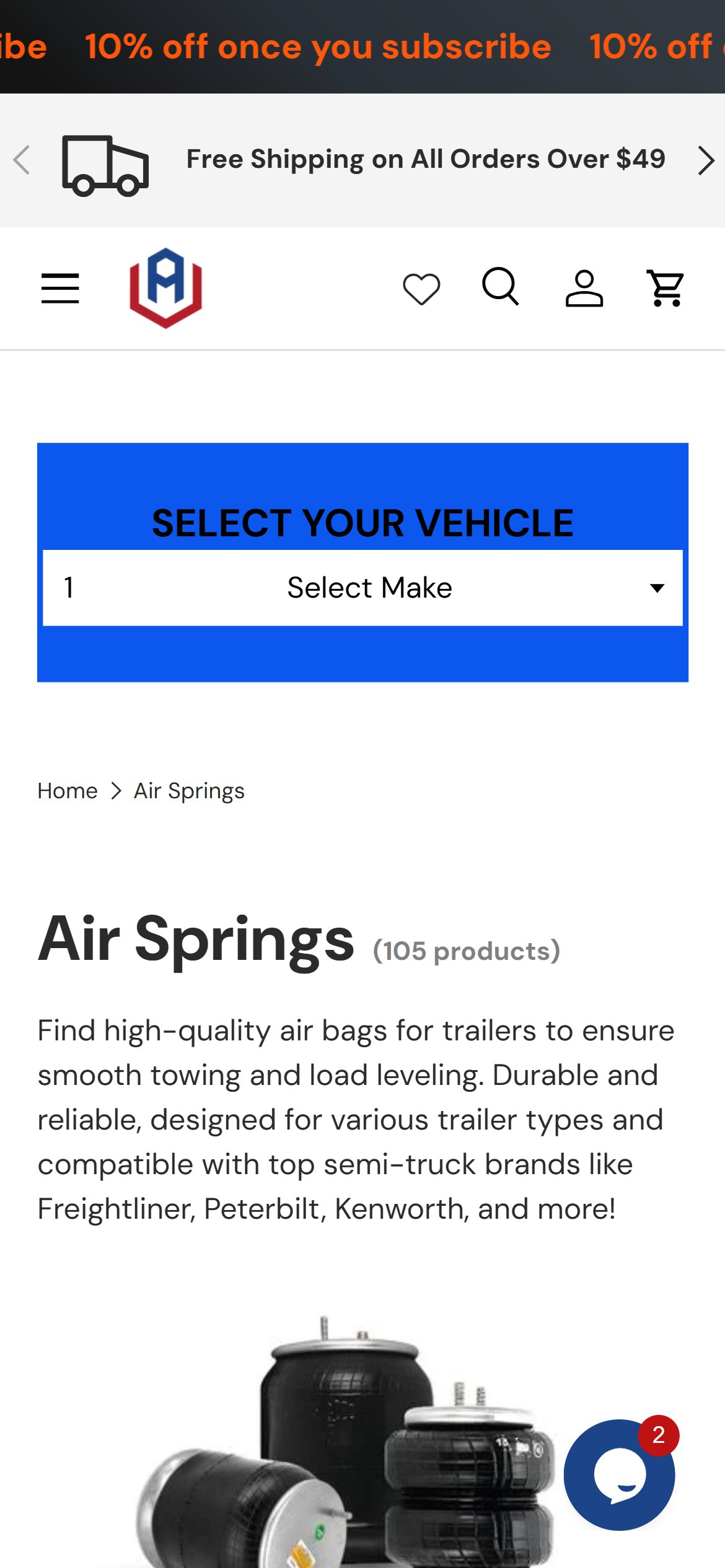
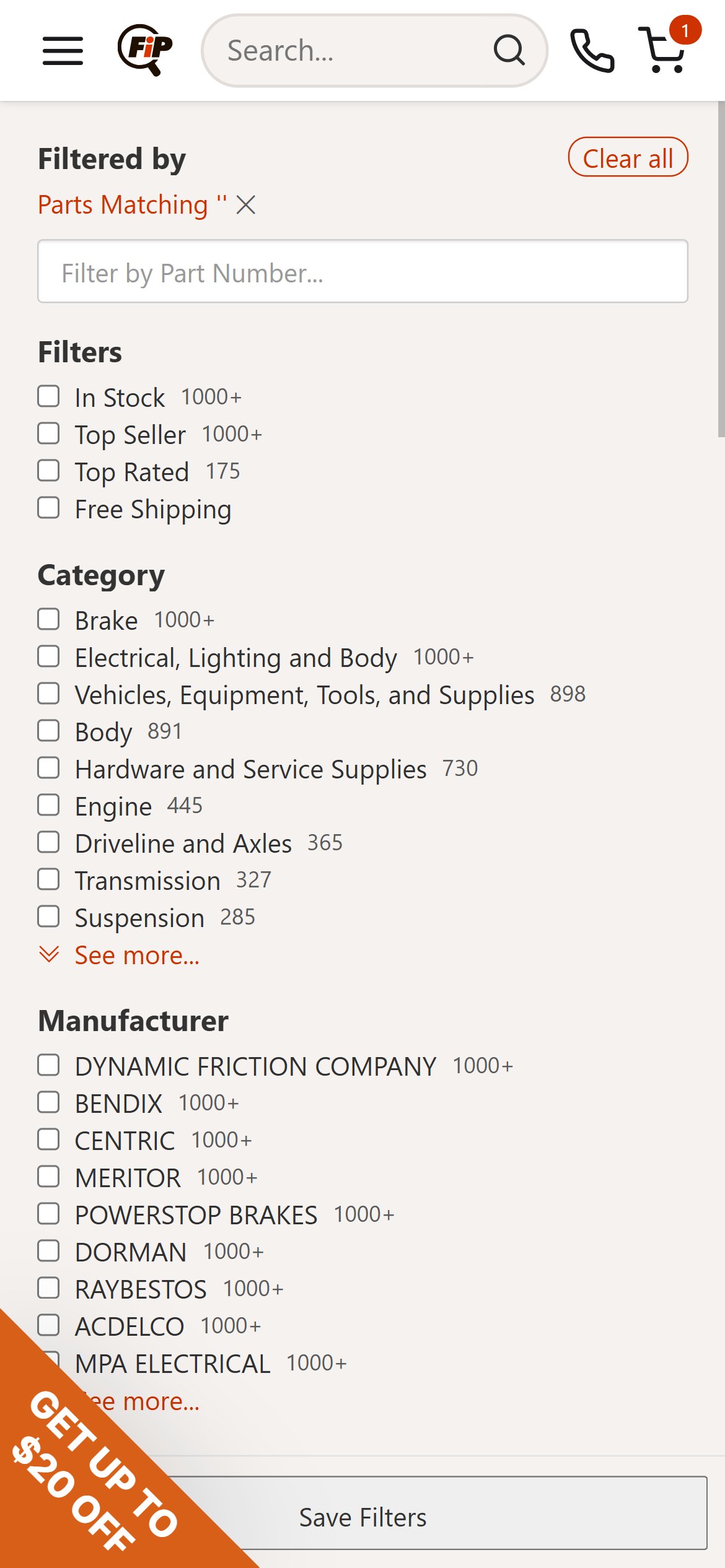
- The Air Springs collection (105 products) has only 2 filter options: 'Availability' and 'Collection' — there is no price range filter, no vehicle fitment filter, and no brand or part-type filter.
- For automotive aftermarket parts, fitment filtering (Year / Make / Model) is the single most critical navigation tool — buyers need to instantly see parts that fit their truck, not scroll 105 products manually.
- Without a price filter, a user looking for air springs under $150 must scroll the entire catalog; FinditParts and RealTruck both show dedicated price-range and fitment filters on collection pages.
- 9/10 leading stores in the category provide at least 3 filter categories including price range.
- Add a Year / Make / Model fitment filter as the primary filter on all part-category collection pages — when a user has selected their vehicle in the site's garage widget, auto-apply the fitment filter to show only compatible parts.
- Add a price-range slider (min/max input or drag handle) as a second filter — for a $50–$1,100 price range catalog, price filtering is a primary decision tool.
- Add a Brand filter (Torque, Firestone, etc.) as a third option — automotive buyers frequently search by OEM part replacement brand.

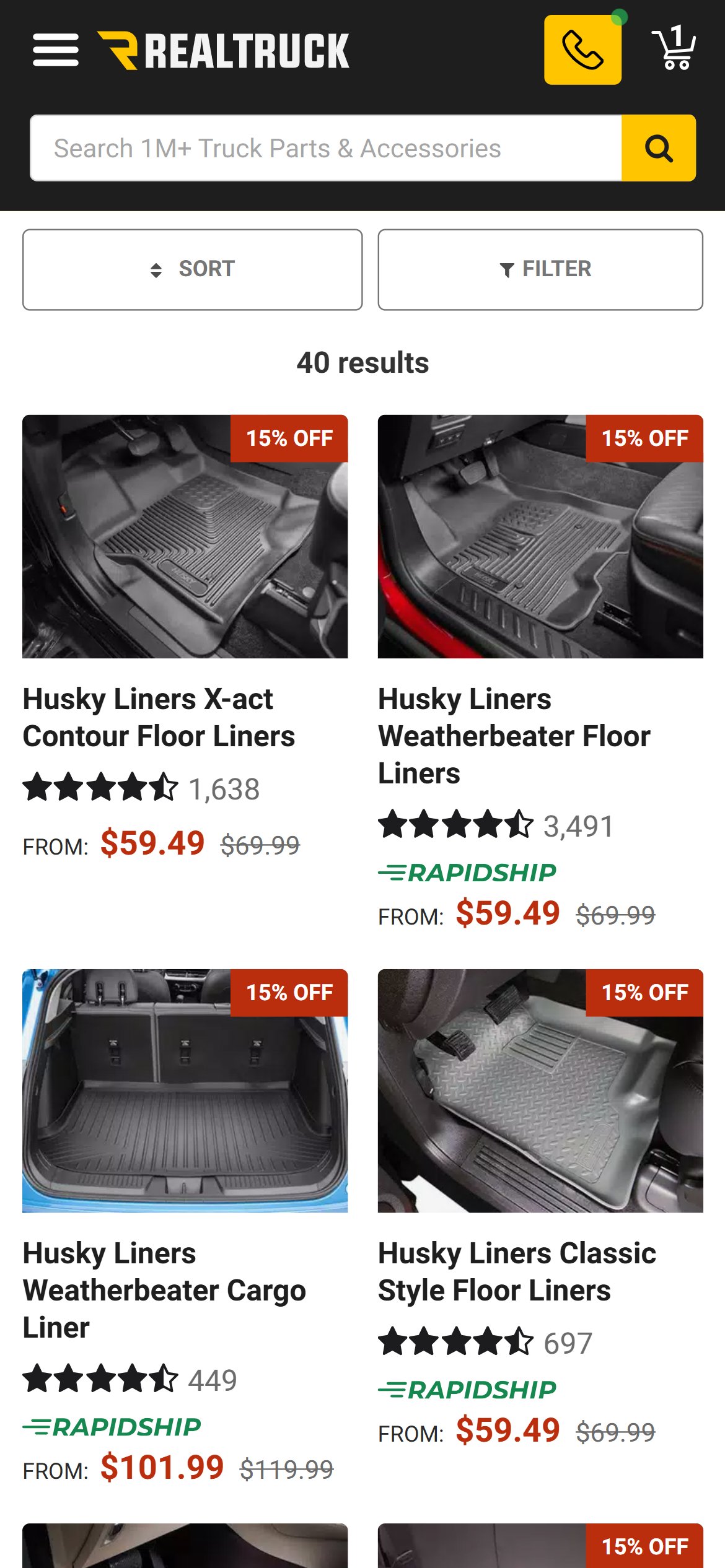
- Collection cards show image, brand name, product title, price with strikethrough, and an ATC button — but no indication of how many variants exist (e.g. '2 capacities: 5000/7500 Lbs') or vehicle compatibility.
- A buyer browsing Air Springs has no way to know from the collection grid whether a $103 card fits their truck — they must click into each PDP, check fitment, and back out if incompatible.
- For auto parts, a 'Fits: Chevy Silverado 1500 2019-2026' compatibility badge on the card would prevent wrong-vehicle clicks and reduce PDP bounce.
- 6/10 leading stores show variant count or compatibility indicators on collection cards, reducing unnecessary PDP clicks by 20–35%.
- Add a 'Fits [Vehicle]' badge on collection cards when the buyer has a saved vehicle — highlight compatible parts in teal/green to create a visual shortcut for fitment-confirmed buyers.
- Show variant count below the product title: '2 options' or '5000 / 7500 Lbs' so buyers know what configurations are available before clicking in.
- For multi-vehicle compatible parts, show a small compatibility indicator ('Fits 120+ trucks') to communicate breadth without detail.
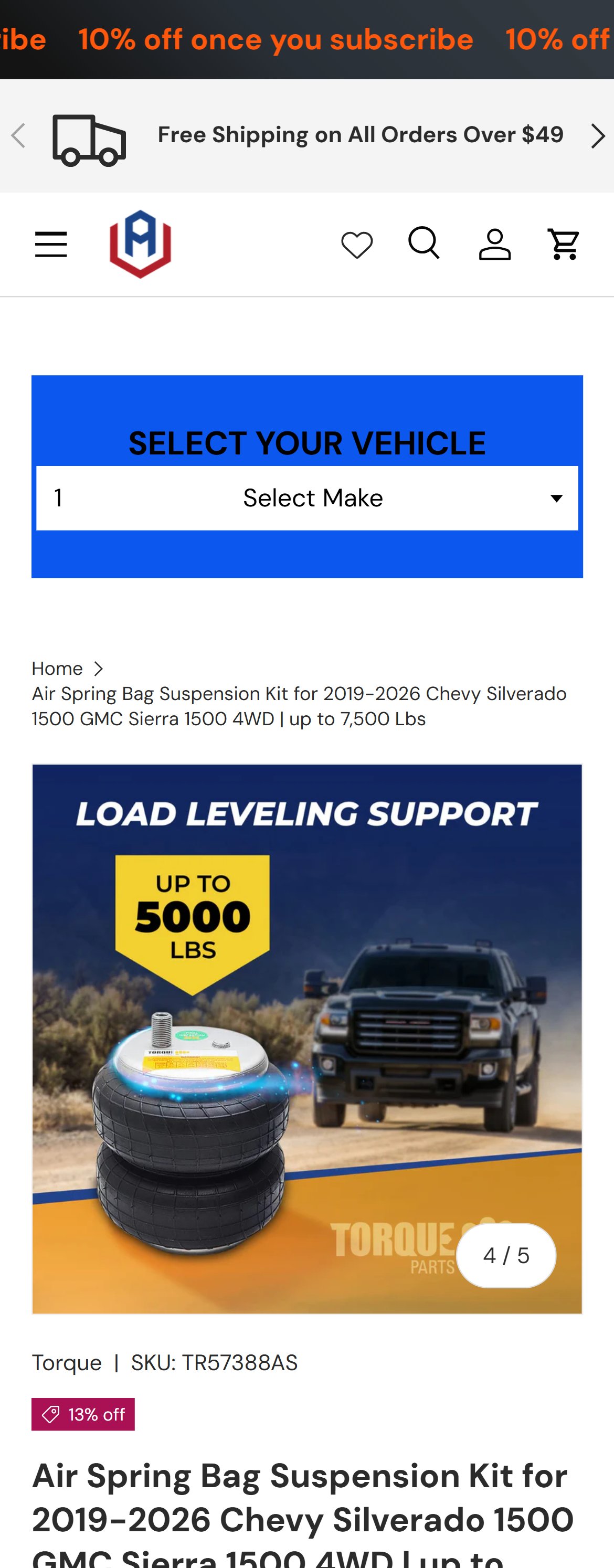
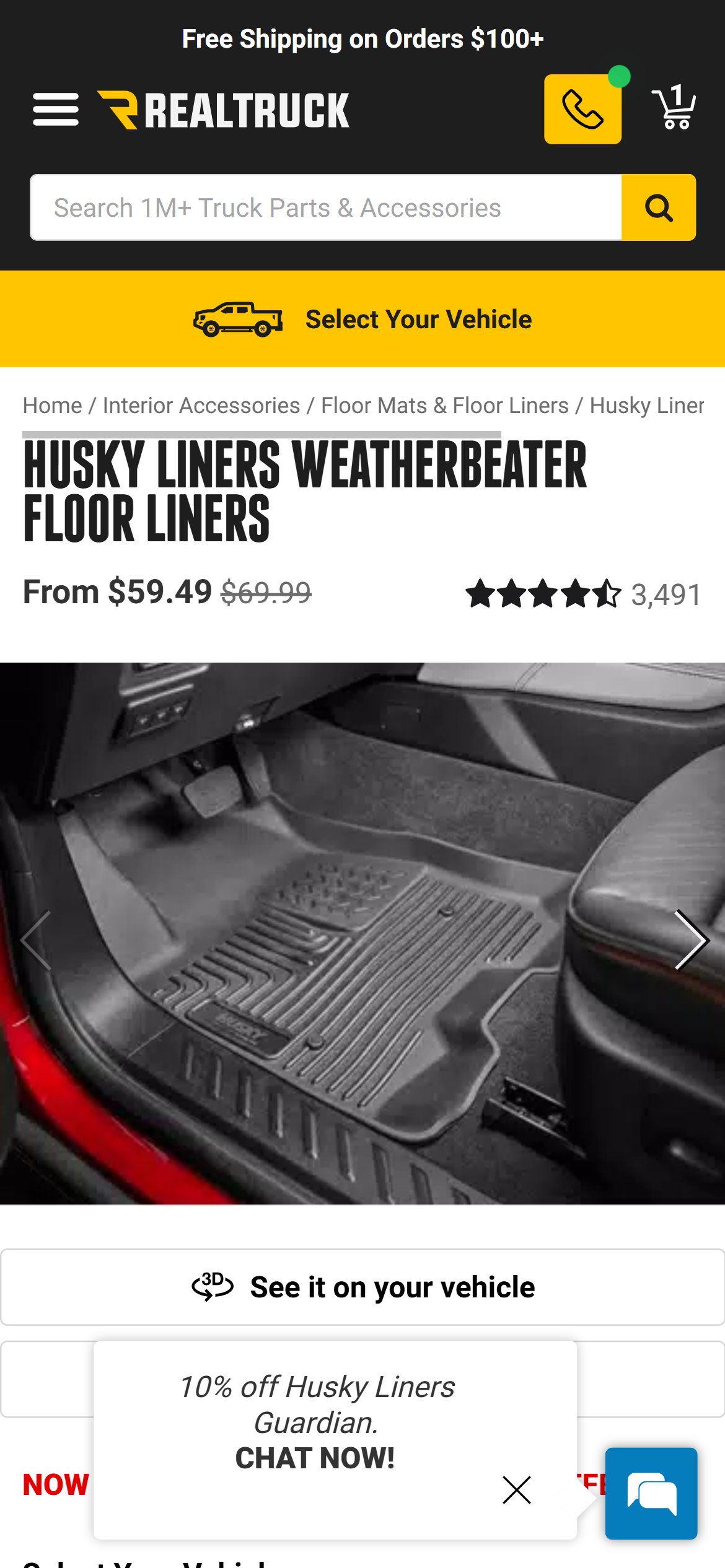
- Aftermarket has a 4.9-star rating from 75 reviews — excellent social proof — but this appears only in a 'Recent Reviews' section far below the fold, not near the product title or price.
- The above-fold PDP area shows: fitment widget, breadcrumb, and product hero image. No star rating or review count is visible without scrolling down 4+ screens.
- For a $329 purchase decision, missing the review signal above fold means buyers who don't scroll never see the validation that could tip them to convert.
- 8/10 leading stores display star rating and review count directly below the product title, before the price.
- Add a Judge.me inline rating widget directly below the product title (or between title and price) — star icon plus rating number plus review count, all clickable to scroll to the reviews section.
- Consider a single-line format: 4.9 stars (75 reviews) — small enough to not disrupt the price area but powerful enough to establish trust at first glance.
- Ensure the rating widget loads with the page (not lazy-loaded) so it appears on mobile even at slow connections where only the first fold loads.
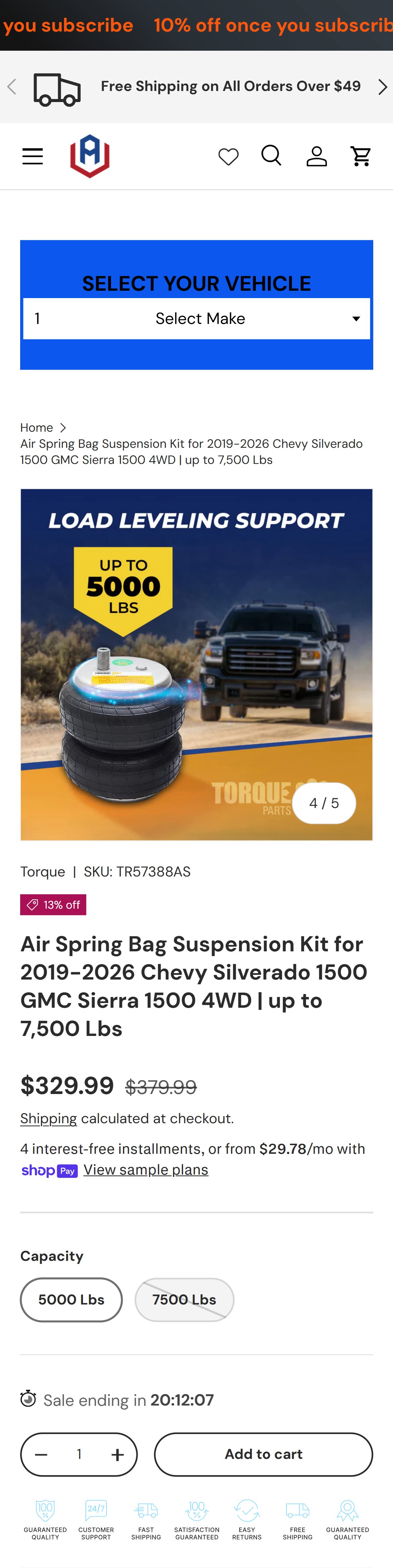
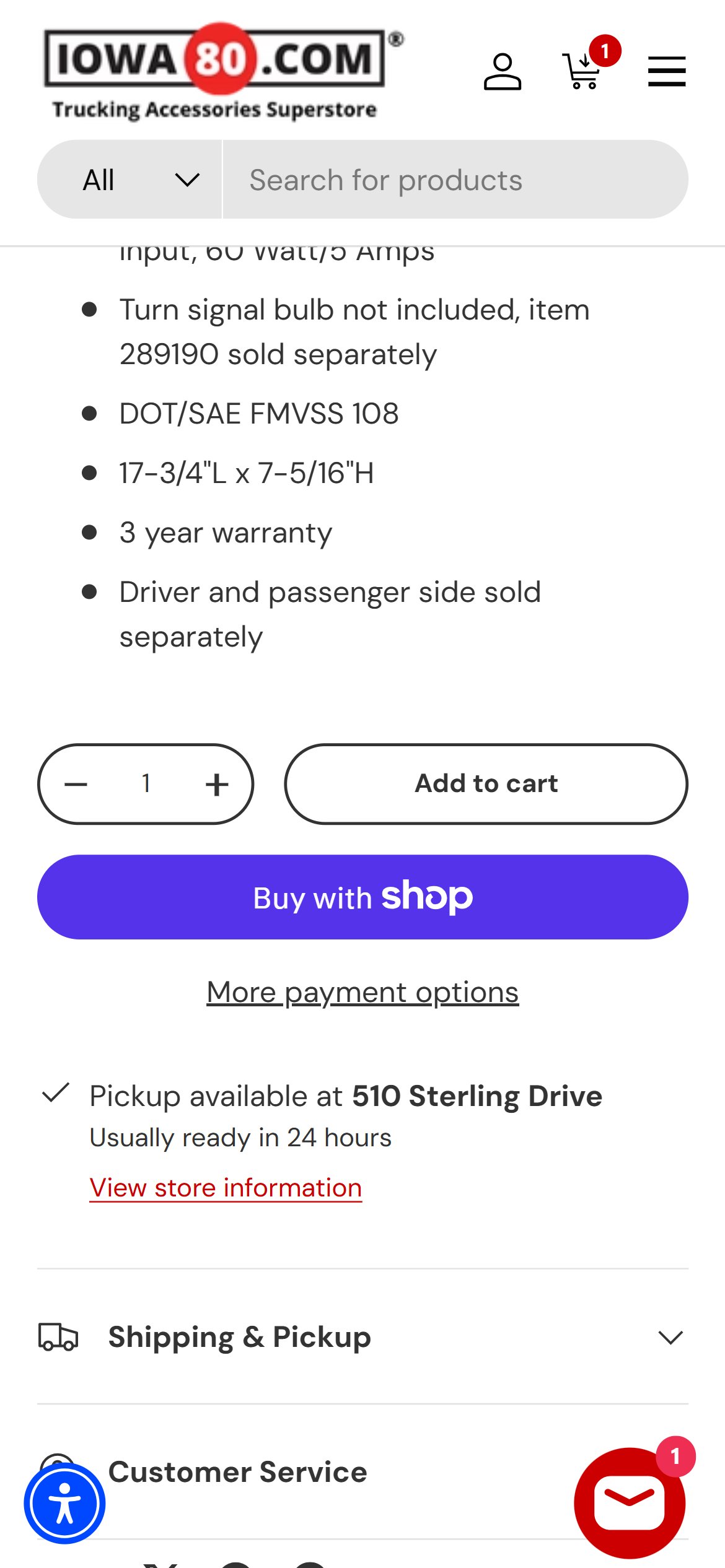
- The PDP shows only 'Add to Cart' with no 'Buy Now' or 'Buy It Now' option — high-intent buyers who know exactly what they need must navigate through cart before reaching checkout.
- For parts purchases over $300, customers who decide quickly want a direct path to checkout — the additional cart step creates an opportunity to abandon.
- Shopify natively supports a dynamic checkout button (Shop Pay, Apple Pay) that serves as a 'Buy Now' equivalent — this can be enabled in theme settings.
- 5/10 leading stores offer a Buy Now or express checkout path directly from the PDP alongside the standard ATC button.
- Enable Shopify's dynamic checkout button beneath the Add to Cart button — this renders as Shop Pay, Apple Pay, or Google Pay depending on the shopper's saved credentials, acting as a one-tap checkout.
- Label it clearly as 'Buy It Now' or keep it as the payment-brand button (Shop Pay logo) — both formats are recognized by US shoppers.
- Ensure the dynamic checkout respects the selected variant (capacity: 5000/7500 Lbs) before proceeding to checkout.
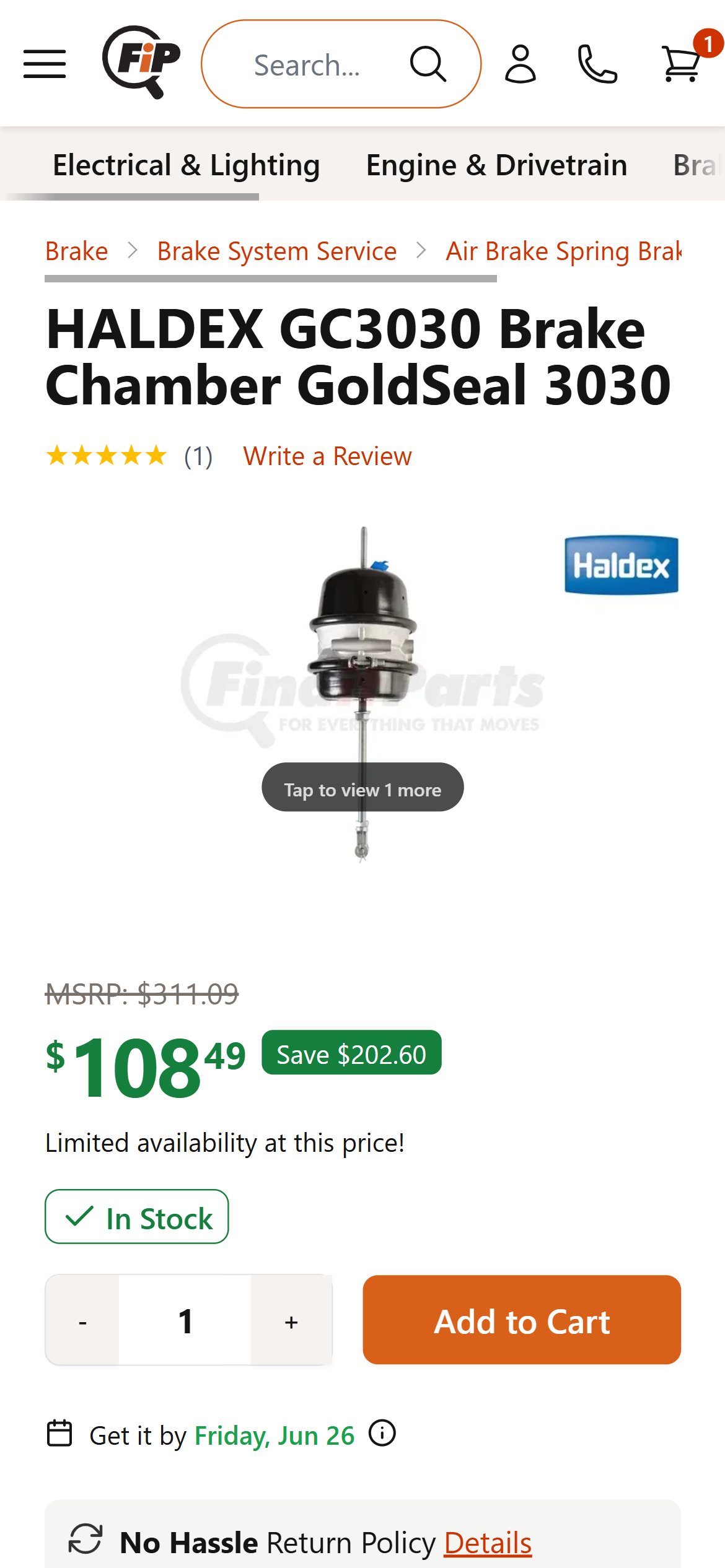
- The PDP has no shipping timeline near the ATC area — the only mention is in the announcement bar ('Free Shipping on All Orders Over $49') which disappears on scroll.
- Truck owners buying suspension kits often have a specific installation date in mind — knowing 'Ships in 1-2 days, arrives by Fri Jun 27' is a purchase-triggering signal, not just a nice-to-have.
- The announcement bar confirms free shipping over $49 (this cart qualifies at $329) but this is not repeated near the ATC, and there is no estimated arrival date anywhere.
- 6/10 leading stores display a delivery estimate (static or zip-code-based) within 200px of the ATC button.
- Add a static delivery estimate below the ATC button: 'Free shipping — typically arrives in 3-5 business days' or use a dynamic message based on current inventory location.
- Link to the full shipping policy from this message so concerned buyers can get detail without leaving the PDP.
- For same-day or next-day cutoff windows, add 'Order within X hours for [date] delivery' urgency messaging alongside the existing sale countdown timer.
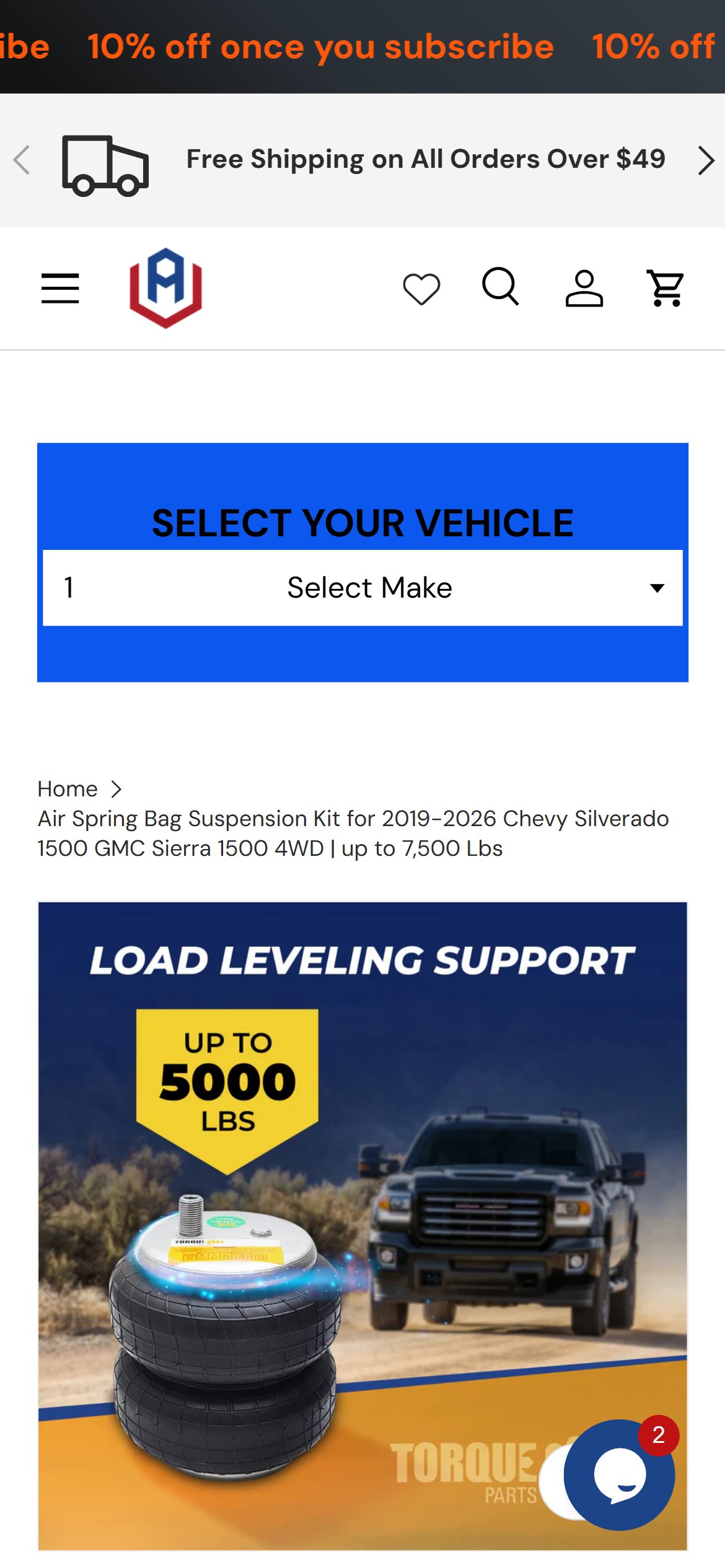
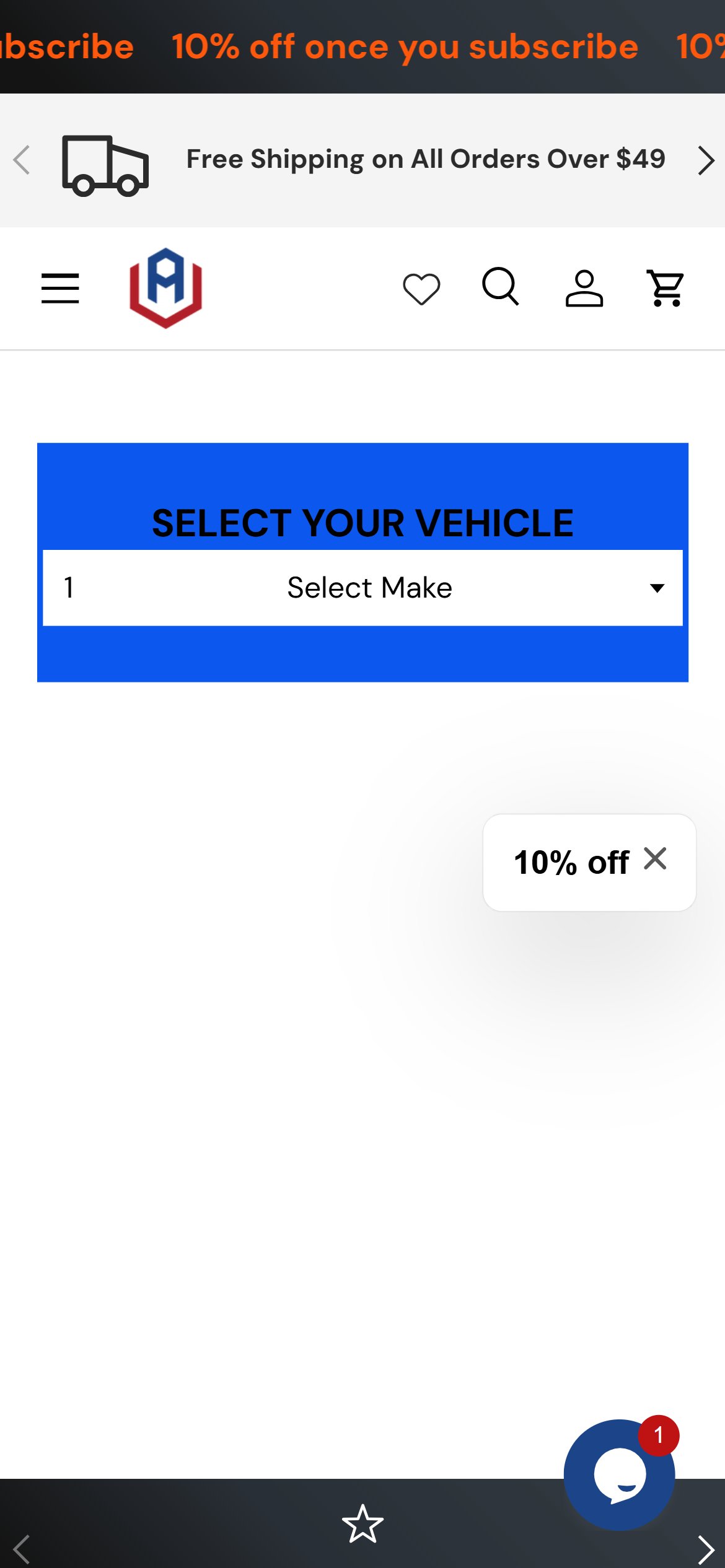
- The 'Select Your Vehicle' widget renders only a single 'Select Make' dropdown, with a stray '1' in the field and no Year, Model, or Submodel steps — the fitment cascade is incomplete and non-functional on first load.
- Heavy-duty truck and pickup parts are fit-critical: shoppers cannot confirm a part fits their exact year/make/model/trim, which drives cart abandonment, wrong-fit returns, and avoidable support contacts.
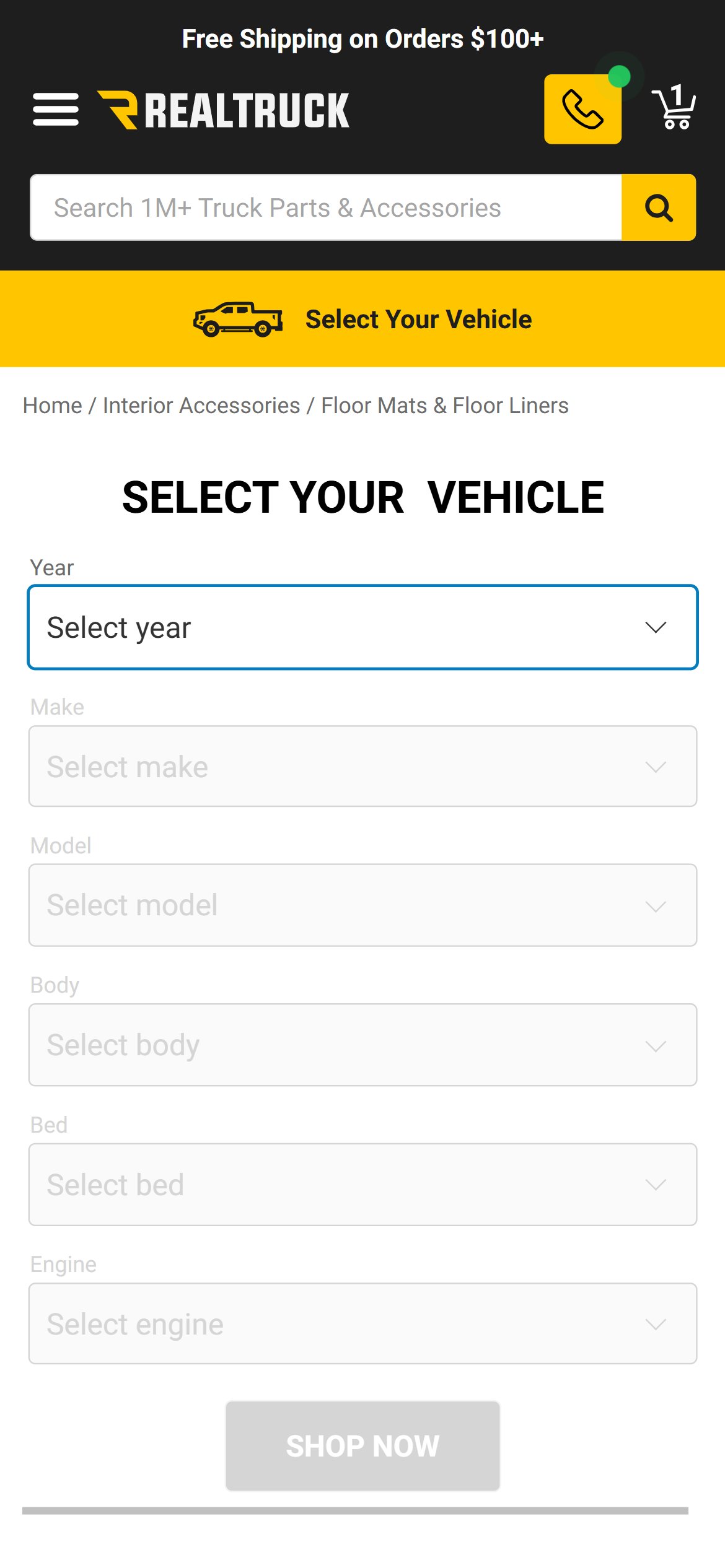
- Leading auto-parts stores make a full Year → Make → Model → Submodel 'garage' selector the primary entry point and persist the chosen vehicle across the catalog; RealTruck confirms fitment directly on the product page.
- The widget appears in the same broken state site-wide (homepage, collection, PDP, cart), so the issue compounds at every step of the funnel.
- Complete the Year → Make → Model → Submodel cascade and fix the empty/placeholder field state so the selector works on first load.
- Persist the selected vehicle in a 'garage', filter the catalog to fitting parts, and show a 'Confirmed Fit for your {vehicle}' badge on the PDP near Add to Cart.
- Surface the selector above the fold on the homepage and collection pages as the primary navigation path for fit-driven shopping.
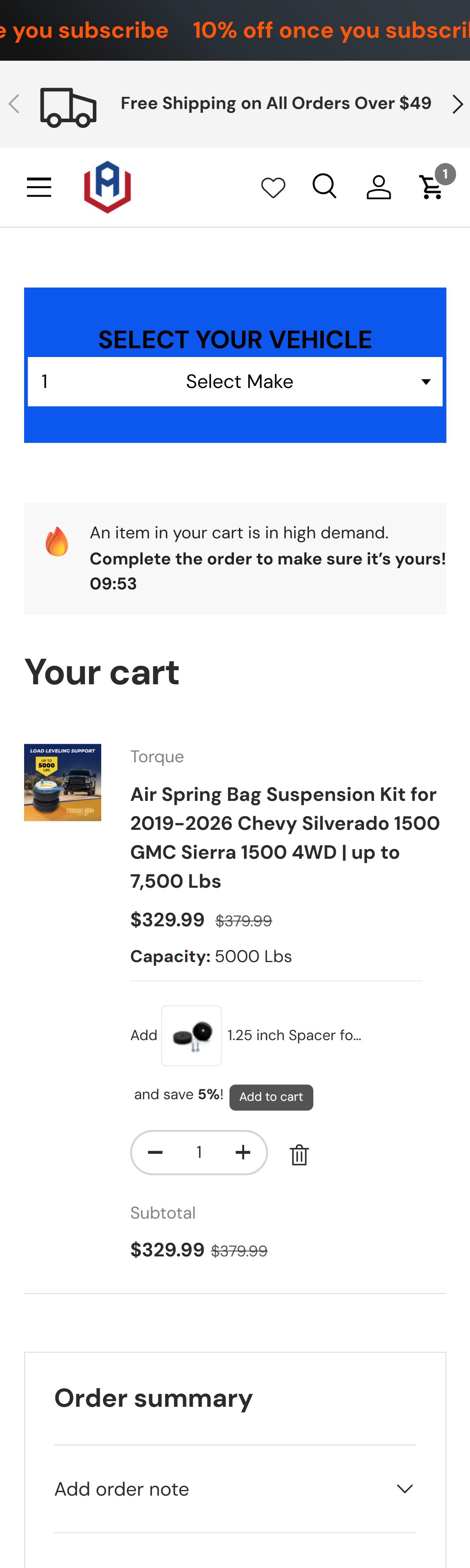
- The cart shows 'Taxes and shipping calculated at checkout' — there is no free shipping threshold bar despite the store offering free shipping on orders over $49.
- A $329 cart clearly qualifies for free shipping but the buyer has no cart-level confirmation of this — uncertainty about shipping cost is a top-3 cart abandonment driver.
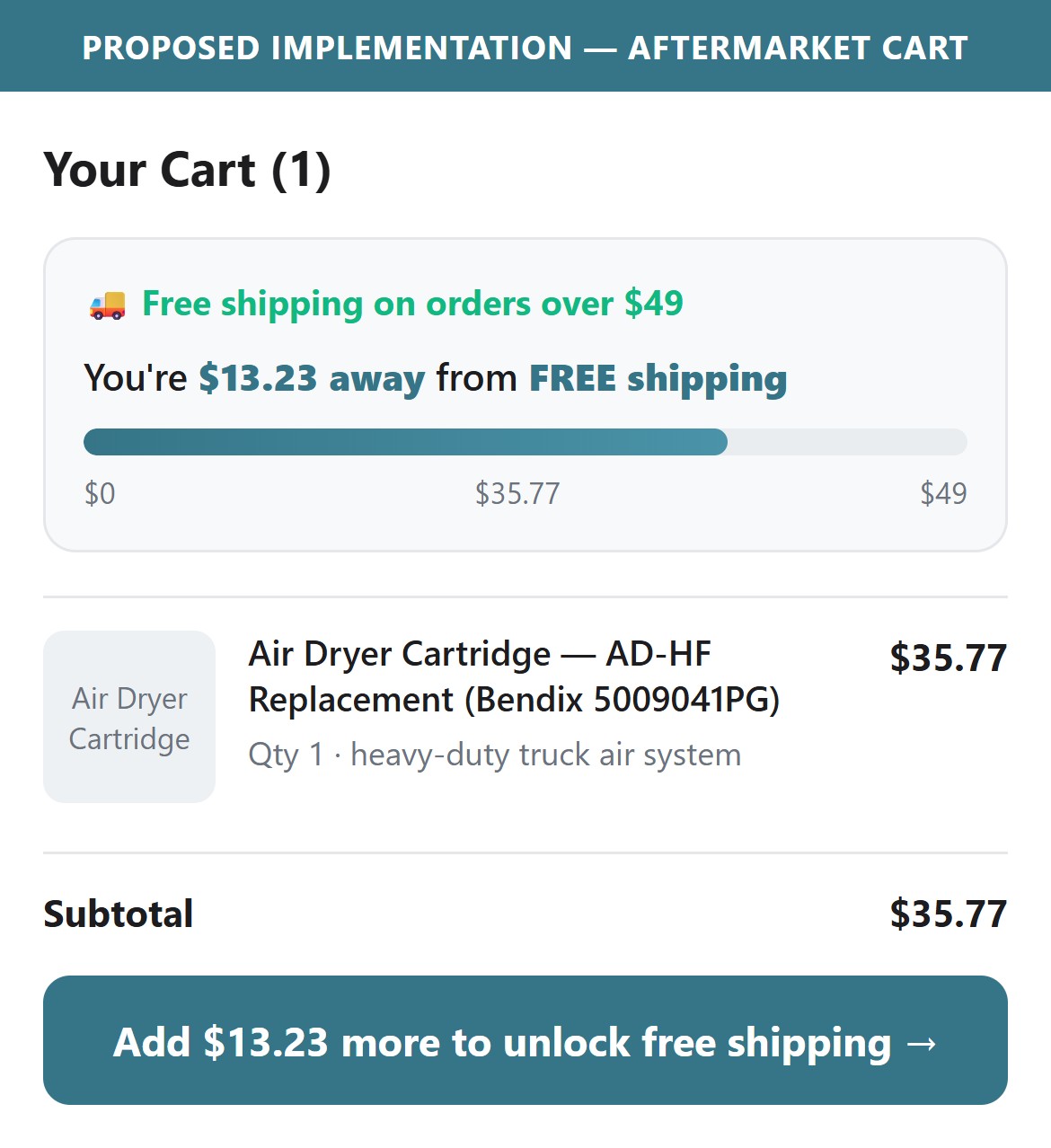
- For carts just below $49 (plausible for small parts like filters or fittings), a 'Add $X more for FREE shipping' progress bar is a proven AOV driver that typically lifts basket size 8-15%.
- 5/10 leading stores display a free shipping progress bar in the cart summary area.
- Add a free-shipping progress indicator above the subtotal in the cart: a thin progress bar showing 'You qualify for FREE shipping' for carts above $49, or 'Add $X more for free shipping' for carts under.
- Configure the Vitals app (already installed) — it includes a built-in Free Shipping Bar widget that can be activated with threshold settings.
- Style the 'unlocked' state (above $49) in a celebratory green color to reinforce the buyer's decision with a positive signal before checkout.
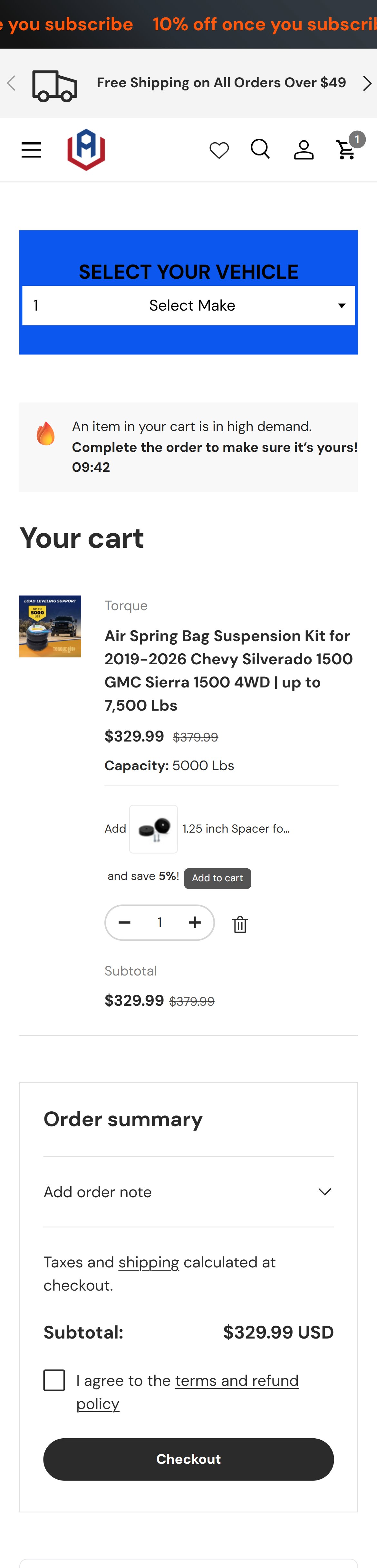
- The cart shows only a single 'Checkout' button with no express checkout options — no Shop Pay, no Apple Pay, no Google Pay, no PayPal Express despite all being accepted payment methods on the site.
- On mobile, Shop Pay and Apple Pay express checkout reduce checkout to a single biometric confirmation — for a $329 purchase that could have been abandoned at address entry, this is a conversion-critical gap.
- The site has Shop Pay configured (visible in PDP payment icons) but this is not surfaced as an accelerated cart option.
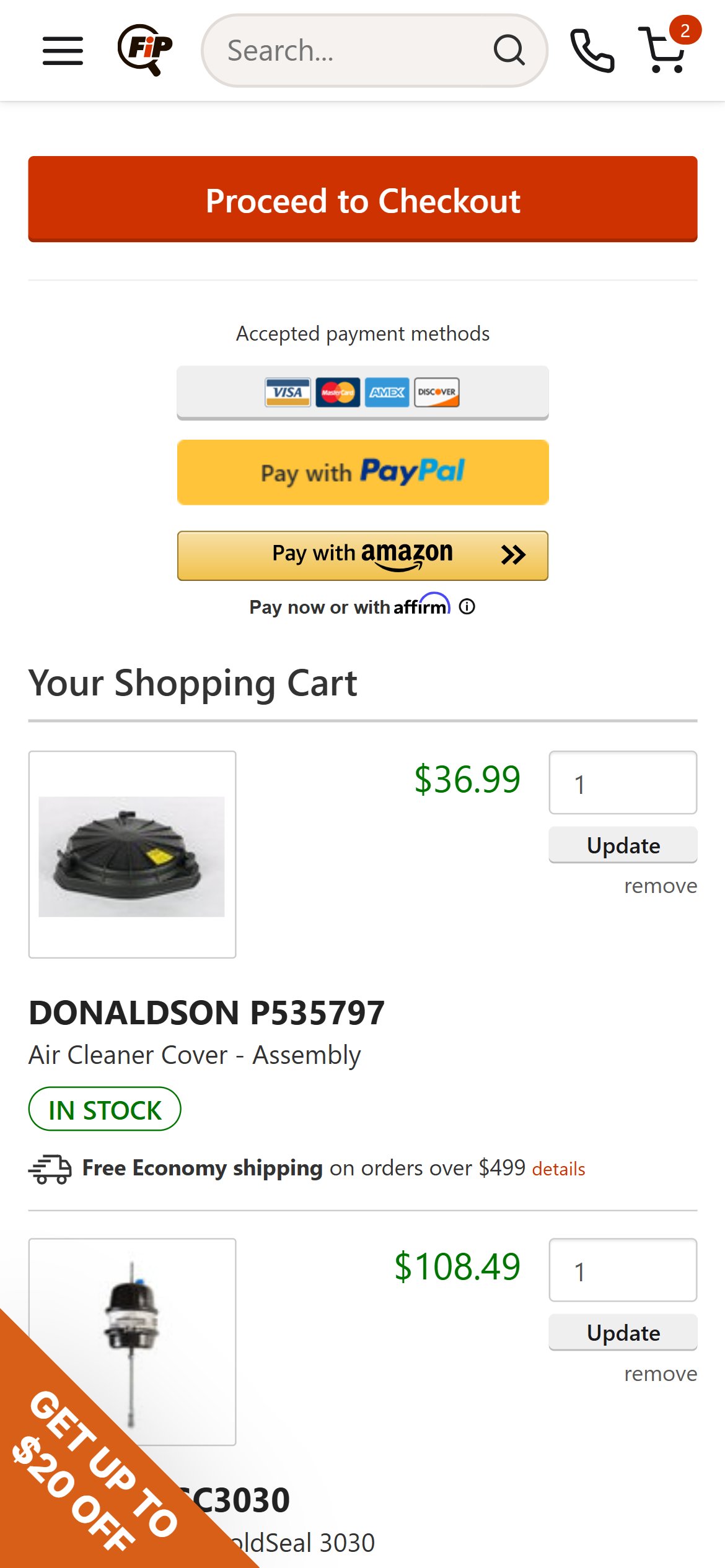
- 5/10 leading stores show express checkout buttons (Shop Pay / PayPal / Apple Pay) directly in the cart above the standard Checkout button.
- Enable Shopify's dynamic checkout buttons in the cart template — in Shopify theme settings, these render Shop Pay, Apple Pay, and Google Pay as separate branded buttons above the standard Checkout CTA.
- Label the express section 'Express Checkout' above the payment buttons to set context, followed by a divider and the black Checkout button.
- Ensure the express checkout buttons respect the terms-agreement checkbox requirement — consider removing the checkbox to eliminate this friction.
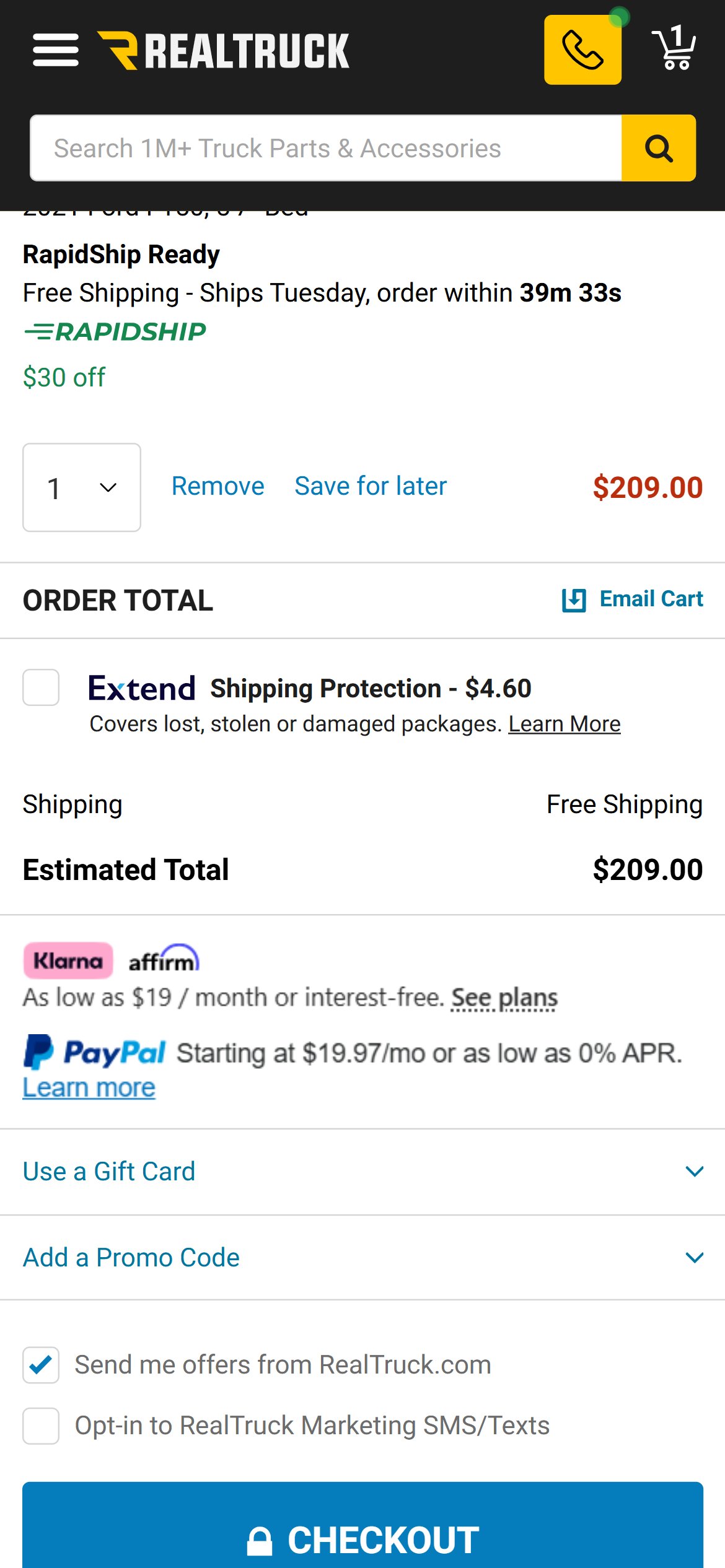
- The cart order summary shows 'Subtotal: $329.99 USD' — the original price ($379.99) is shown on the line item but there is no aggregate savings line (e.g. 'You are saving $50.00 on this order').
- For a buyer who added a 13%-off suspension kit, seeing 'You are saving $50' as positive reinforcement before checkout nudges commitment — particularly for buyers considering abandonment.
- The cart item shows the strikethrough price ($379.99) and discounted price ($329.99), so the data is available — but the savings total is never surfaced at the summary level.
- 5/10 leading stores display a total savings line in the cart order summary when at least one discounted item is present.
- Add a 'You are saving: $50.00' line in green in the order summary section, between the item subtotal and the shipping/tax note.
- Configure the Vitals app's cart savings display feature (included in the app bundle already installed) to auto-calculate and show total savings.
- For multi-item carts, this becomes even more powerful — showing 'You are saving $125 on 3 items' creates a strong price-anchoring effect that reduces abandonment.
App Ecosystem
What's installed vs what's missing from best-in-class Automotive Aftermarket Parts stores
Present (9)
Missing (5)
App Stack Assessment
Aftermarket's app stack is functional but under-optimized for a US automotive parts store. The Vitals suite (already installed and paid for) appears to have several high-value features unconfigured — free shipping bar, total savings display in cart, and potentially BNPL. The most critical gap is the absence of a robust vehicle fitment app: the custom YMM widget is single-dropdown only on mobile. Second highest-impact gap is the lack of an email/SMS automation platform (Klaviyo/Omnisend) — critical for abandoned cart recovery in a category with 3–7 day consideration cycles.
Confidential — Prepared for Aftermarket by Growisto | June 2026